All samples › Excel range to an email-ready HTML table › Setup
Set up: Excel range to an email-ready HTML table
Tested on PAD 2.72.183 · v1.1.1
For e-learning purposes only: try it in a test environment with the sample data, and review it before any real use. Disclaimer
From the path that asks the least to the one that asks the most. Stop at the one you need.
| Path | You create | Needs | Time |
|---|---|---|---|
| 1. Quick try The whole conversion in one block pasted into Main. No subflow, no input or output to create. |
Nothing | Microsoft Excel (desktop) | 2 min |
| 2. Reusable version The function and its example call, in a flow of their own. |
1 local subflow, 3 inputs, 8 outputs | Microsoft Excel (desktop) | 15 min |
| 3. In your own flow Call Convert_Excel_To_Html from the flow you are building. |
The subflow, its 11 variables and one CALL line | Your flow | Depends on your flow |
1. Quick try
The whole conversion in one block pasted into Main. No subflow, no input or output to create. Needs Microsoft Excel (desktop).
1.1 Prepare the files
- Copy
input/Sales_Report_2026-Q3.xlsxintoC:\Reports\Sales. Create the folder first. The flow creates C:\Reports\Sales\Email by itself.
1.2 Paste the block into Main
+ New flow, any name, Create. Click the empty canvas of Main, Ctrl+V the block of flow/3-Test.txt. Check: 77 lines, Errors pane empty.
The code (77 lines)
# subflow: Test (global)
# Excel to HTML - the quick try, AUTONOMOUS: any workbook range becomes an HTML table that keeps the look of Excel
# (fills, fonts, borders, merged cells, column widths, number formats, conditional formatting, hyperlinks). The table opens in the
# browser; with bool_SendToOutlook = True it also lands in an Outlook draft (classic Outlook only).
# NO input / output variable: the parameters are plain SET lines in the first region, so this subflow can be pasted alone
# into any empty Main. Or run it here with 'Run from here' on its first action.
# The reusable building block is the local function Convert_Excel_To_Html (same script), called by Main.
# PAD has no action that reads the formatting of a cell: ONE 'Run PowerShell script' action asks Excel itself
# (COM, DisplayFormat) and returns a table with inline CSS, the only styling that every Outlook client keeps.
# Everything else is native: guards, HTML file, browser or Outlook, final message. Regions: cyan values, red guards, purple processing, gold output.
@@regionColor: '#57FFE1'
**REGION 1. Variables: parameters, the only lines to change
# The workbook to send: any .xlsx / .xlsm, opened read-only, never modified
SET txt_WorkbookPath TO $'''C:\\Reports\\Sales\\Sales_Report_2026-Q3.xlsx'''
# Worksheet name; empty = the sheet that was active when the workbook was saved
SET txt_SheetName TO $''''''
# Range to export in Excel notation (A1:H18); empty = the used range of the sheet
SET txt_RangeAddress TO $''''''
# Folder that receives the HTML file (it opens in your browser at the end)
SET txt_OutputFolder TO $'''C:\\Reports\\Sales\\Email'''
# False = only the HTML file, opened in the browser (needs Excel only); True = also an email through the classic Outlook
SET bool_SendToOutlook TO False
# Used when bool_SendToOutlook is True: Outlook account that sends (as listed in Outlook), recipients, subject, text above the table (HTML allowed)
SET txt_OutlookAccount TO $'''your.name@example.com'''
SET txt_EmailTo TO $'''sales-managers@example.com'''
SET txt_EmailSubject TO $'''Sales report Q3 2026 - straight from Excel'''
SET txt_EmailIntro TO $'''Hello,<br><br>Please find below the sales report of the quarter, exactly as it looks in the workbook.'''
# True = the email is saved in the Drafts folder and opened on screen (demo: nothing leaves the mailbox); False = it is sent
SET bool_DraftOnly TO True
**ENDREGION
@@regionColor: '#F4B6B6'
**REGION 2. Preconditions: a missing workbook is said clearly, a missing output folder is created
IF (File.IfFile.DoesNotExist File: txt_WorkbookPath) THEN
Display.ShowMessageDialog.ShowMessage Title: $'''Excel to Outlook''' Message: $'''Workbook not found: %txt_WorkbookPath%. Fix txt_WorkbookPath in the first region of this subflow, then run again.''' Icon: Display.Icon.ErrorIcon Buttons: Display.Buttons.OK DefaultButton: Display.DefaultButton.Button1 IsTopMost: True ButtonPressed=> _txt_ButtonPressed
EXIT Code: 0
END
IF (Folder.IfFolderExists.DoesNotExist Path: txt_OutputFolder) THEN
# Create folder needs an existing parent: split the path into parent + name first
File.GetPathPart File: txt_OutputFolder Directory=> fold_OutputParent FileName=> txt_OutputFolderName
Folder.Create FolderPath: fold_OutputParent FolderName: txt_OutputFolderName Folder=> _fold_Output
END
**ENDREGION
@@regionColor: '#D9C3E9'
**REGION 3. Convert: Excel renders the range, the script writes it as an HTML table with inline styles
# The same script as in Convert_Excel_To_Html, without the details line; its parameters come from the variables above
Scripting.RunPowershellScript.RunScript Script: $'''# Excel to HTML - turns an Excel range into an HTML table that keeps the look of Excel and survives Outlook.
# How: Excel itself publishes the range as HTML (PublishObjects, its \'Save as web page\' engine: one call, a few
# hundred milliseconds whatever the size), then this script rewrites that HTML for email: the CSS classes of the
# <style> block are copied INLINE on every cell (Outlook on the web, mobile and Gmail drop most <style> rules),
# the mso-* rules, hidden rows and hidden columns are removed, the table is rebuilt clean, every non-ASCII
# character becomes a numeric entity so that encodings never matter.
# Kept: fills, fonts (name, size, colour, bold, italic, underline, strikethrough, rich text runs), alignment, wrap,
# indent, borders, merged cells, column widths, row heights, number formats, conditional formatting, hyperlinks.
# Not kept: images, charts, shapes, icon sets, data bars, comments (no HTML equivalent in an email).
# ASCII only on purpose: the same text lives inside a Robin literal and inside a PowerShell action.
# --- parameters : taken from the Variables region of Test ---
$WorkbookPath = \'%txt_WorkbookPath%\'
$SheetName = \'%txt_SheetName%\'
$RangeAddress = \'%txt_RangeAddress%\'
$OutputPath = \'\'
$DetailsLine = \'\'
# --- end parameters ---
$ErrorActionPreference = \'Stop\'
$clock = [System.Diagnostics.Stopwatch]::StartNew()
function Split-Declarations([string]$block) {
# \'color:black; mso-number-format:\"0\\.0%%\"; border:.5pt solid #BFBFBF\' -> ordered map, quote-aware, mso-* dropped
$map = New-Object System.Collections.Specialized.OrderedDictionary
if ([string]::IsNullOrEmpty($block)) { return $map }
$parts = New-Object System.Collections.ArrayList
$sb = New-Object System.Text.StringBuilder
$inQuote = $false
foreach ($ch in $block.ToCharArray()) {
if ($ch -eq \'\"\') { $inQuote = -not $inQuote }
if ($ch -eq \';\' -and -not $inQuote) { [void]$parts.Add($sb.ToString()); [void]$sb.Clear() } else { [void]$sb.Append($ch) }
}
[void]$parts.Add($sb.ToString())
foreach ($p in $parts) {
$idx = $p.IndexOf(\':\')
if ($idx -lt 1) { continue }
$k = $p.Substring(0, $idx).Trim().ToLowerInvariant()
$v = $p.Substring($idx + 1).Trim()
if ($k -eq \'\' -or $v -eq \'\' -or $k.StartsWith(\'mso-\')) { continue }
$map[$k] = $v
}
return $map
}
function Merge-Into($target, $source) {
if ($source -ne $null) { foreach ($k in @($source.Keys)) { $target[$k] = $source[$k] } }
}
function Parse-Attributes([string]$attrText) {
# class=xl65 width=103 style=\'height:15.0pt\' x:num=\"182500\" -> hashtable (names lower-cased)
$map = @{}
$pattern = \'([A-Za-z][\\w:-]*)\\s*=\\s*(?:\"([^\"]*)\"|\' + \"\'([^\']*)\'\" + \'|([^\\s>]+))\'
foreach ($m in [regex]::Matches($attrText, $pattern)) {
$name = $m.Groups[1].Value.ToLowerInvariant()
$val = $m.Groups[2].Value
if ($m.Groups[3].Success) { $val = $m.Groups[3].Value }
if ($m.Groups[4].Success) { $val = $m.Groups[4].Value }
$map[$name] = $val
}
return $map
}
function Inline-Style($rules, [hashtable]$attrs, [string]$tag) {
# tag rule, then the class rules, then the inline style: the later wins, like the cascade did
$style = New-Object System.Collections.Specialized.OrderedDictionary
if ($rules.ContainsKey($tag)) { Merge-Into $style $rules[$tag] }
if ($attrs.ContainsKey(\'class\')) {
foreach ($cls in ($attrs[\'class\'] -split \'\\s+\')) {
$key = \'.\' + $cls
if ($rules.ContainsKey($key)) { Merge-Into $style $rules[$key] }
}
}
if ($attrs.ContainsKey(\'style\')) { Merge-Into $style (Split-Declarations $attrs[\'style\']) }
$out = New-Object System.Text.StringBuilder
foreach ($k in @($style.Keys)) {
$v = [string]$style[$k]
if ($k -eq \'text-align\' -and $v -eq \'general\') { continue }
if ($k -eq \'display\') { continue }
$v = $v.Replace(\'windowtext\', \'#000000\').Replace(\'\"\', \"\'\")
[void]$out.Append($k + \':\' + $v + \';\')
}
return $out.ToString()
}
function Inline-Content($rules, [string]$inner) {
# rich text runs (<font class=font5>), spans and links inside a cell get their style inline too
$sbEval = {
param($m)
$tag = $m.Groups[1].Value.ToLowerInvariant()
$a = Parse-Attributes $m.Groups[2].Value
$style = Inline-Style $rules $a $tag
$keep = \'\'
if ($a.ContainsKey(\'href\')) { $keep += \' href=\"\' + $a[\'href\'] + \'\"\' }
if ($tag -eq \'font\') { $tag = \'span\' }
if ($style -ne \'\') { return (\'<\' + $tag + $keep + \' style=\"\' + $style + \'\">\') }
return (\'<\' + $tag + $keep + \'>\')
}.GetNewClosure()
$evaluator = [System.Text.RegularExpressions.MatchEvaluator]$sbEval
$s = [regex]::Replace($inner, \'(?is)<(font|span|a)\\b([^>]*)>\', $evaluator)
$s = [regex]::Replace($s, \'(?i)</font>\', \'</span>\')
$s = [regex]::Replace($s, \'\\s*\\r?\\n\\s*\', \' \')
return $s.Trim()
}
function Encode-NonAscii([string]$s) {
$sb = New-Object System.Text.StringBuilder
$i = 0
while ($i -lt $s.Length) {
$ch = $s[$i]
if ([char]::IsHighSurrogate($ch) -and ($i + 1) -lt $s.Length) {
[void]$sb.Append(\'&#\' + [char]::ConvertToUtf32($s, $i) + \';\')
$i += 2
continue
}
$code = [int]$ch
if ($code -gt 126) { [void]$sb.Append(\'&#\' + $code + \';\') } else { [void]$sb.Append($ch) }
$i++
}
return $sb.ToString()
}
$excel = $null
$wb = $null
$tmp = \'\'
try {
if (-not (Test-Path -LiteralPath $WorkbookPath)) { throw (\'Workbook not found: \' + $WorkbookPath) }
# 1. Excel publishes the range: its own exporter, one call, conditional formatting and number formats resolved
$excel = New-Object -ComObject Excel.Application
$excel.Visible = $false
$excel.DisplayAlerts = $false
$wb = $excel.Workbooks.Open($WorkbookPath, 0, $true)
if ($SheetName -ne \'\') {
try { $ws = $wb.Worksheets.Item($SheetName) } catch { throw (\'Worksheet not found: \' + $SheetName) }
} else { $ws = $wb.ActiveSheet }
if ($RangeAddress -ne \'\') {
try { $rng = $ws.Range($RangeAddress) } catch { throw (\'Range not valid: \' + $RangeAddress) }
} else { $rng = $ws.UsedRange }
$address = [string]$rng.Address($false, $false)
$sheetUsed = [string]$ws.Name
$base = \'excel-to-html-\' + [guid]::NewGuid().ToString(\'N\')
$tmp = Join-Path $env:TEMP ($base + \'.htm\')
$po = $wb.PublishObjects.Add(4, $tmp, $ws.Name, $address, 0, \'ExcelToOutlook\', \'\')
$po.Publish($true)
$wb.Close($false)
$wb = $null
$bytes = [System.IO.File]::ReadAllBytes($tmp)
$head = [System.Text.Encoding]::ASCII.GetString($bytes, 0, [Math]::Min(4096, $bytes.Length))
$encoding = [System.Text.Encoding]::GetEncoding(1252)
if ($head -match \'(?i)charset=([\\w-]+)\') { try { $encoding = [System.Text.Encoding]::GetEncoding($Matches[1]) } catch { } }
$html = $encoding.GetString($bytes)
# 2. The CSS rules of the <style> block, selector by selector (td, .xl65 ...), mso-* already dropped
$rules = @{}
$mStyle = [regex]::Match($html, \'(?is)<style[^>]*>(.*?)</style>\')
if ($mStyle.Success) {
$styleBlock = $mStyle.Groups[1].Value.Replace(\'<!--\', \' \').Replace(\'-->\', \' \')
foreach ($m in [regex]::Matches($styleBlock, \'(?s)([^{}]+)\\{([^{}]*)\\}\')) {
$decl = Split-Declarations $m.Groups[2].Value
foreach ($sel in ($m.Groups[1].Value -split \',\')) {
$s = $sel.Trim()
if ($s -eq \'\') { continue }
if (-not $rules.ContainsKey($s)) { $rules[$s] = New-Object System.Collections.Specialized.OrderedDictionary }
Merge-Into $rules[$s] $decl
}
}
}
# 3. The table alone, without the Office conditional comments
$mTable = [regex]::Match($html, \'(?is)<table\\b[^>]*>.*?</table>\')
if (-not $mTable.Success) { throw \'Excel produced no table for this range\' }
$table = $mTable.Value
$table = [regex]::Replace($table, \'(?is)<!\\[if\\s+supportMisalignedColumns\\]>.*?<!\\[endif\\]>\', \'\')
$table = [regex]::Replace($table, \'(?s)<!--.*?-->\', \'\')
$table = [regex]::Replace($table, \'(?s)<!\\[(?:if|endif)[^\\]]*\\]>\', \'\')
# 4. Columns: width and hidden state (Excel writes a hidden column as width=0 / display:none)
$colHidden = New-Object System.Collections.ArrayList
$colWidth = New-Object System.Collections.ArrayList
foreach ($m in [regex]::Matches($table, \'(?i)<col\\b([^>]*)>\')) {
$a = Parse-Attributes $m.Groups[1].Value
$span = 1
if ($a.ContainsKey(\'span\')) { $span = [int]$a[\'span\'] }
$w = 0
if ($a.ContainsKey(\'width\')) { $w = [int]$a[\'width\'] }
$hidden = ($w -le 0) -or ($a.ContainsKey(\'style\') -and $a[\'style\'] -match \'display\\s*:\\s*none\')
for ($i = 0; $i -lt $span; $i++) { [void]$colHidden.Add($hidden); [void]$colWidth.Add($w) }
}
$totalWidth = 0
$colVisible = 0
for ($i = 0; $i -lt $colWidth.Count; $i++) { if (-not $colHidden[$i]) { $totalWidth += $colWidth[$i]; $colVisible++ } }
$rowCount = 0
# 5. Rows and cells: classes inlined, hidden rows and columns skipped, spans kept
$out = New-Object System.Text.StringBuilder
[void]$out.Append(\'<table border=\"0\" cellpadding=\"0\" cellspacing=\"0\" width=\"\' + $totalWidth + \'\" style=\"border-collapse:collapse;table-layout:fixed;width:\' + $totalWidth + \'px;mso-table-lspace:0pt;mso-table-rspace:0pt;\">\')
for ($i = 0; $i -lt $colWidth.Count; $i++) { if (-not $colHidden[$i]) { [void]$out.Append(\'<col width=\"\' + $colWidth[$i] + \'\">\') } }
[void]$out.AppendLine()
$rowspanLeft = New-Object int[] 1024
foreach ($mr in [regex]::Matches($table, \'(?is)<tr\\b([^>]*)>(.*?)</tr>\')) {
$ra = Parse-Attributes $mr.Groups[1].Value
$rowHidden = ($ra.ContainsKey(\'style\') -and $ra[\'style\'] -match \'display\\s*:\\s*none\')
$rowStyle = \'\'
if ($ra.ContainsKey(\'style\')) {
$rd = Split-Declarations $ra[\'style\']
if ($rd.Contains(\'height\')) { $rowStyle = \'height:\' + $rd[\'height\'] + \';\' }
}
$rowAttrs = \'\'
if ($ra.ContainsKey(\'height\')) { $rowAttrs = \' height=\"\' + $ra[\'height\'] + \'\"\' }
$pos = 0
$cells = New-Object System.Text.StringBuilder
foreach ($mc in [regex]::Matches($mr.Groups[2].Value, \'(?is)<td\\b([^>]*)>(.*?)</td>\')) {
while ($pos -lt $rowspanLeft.Length -and $rowspanLeft[$pos] -gt 0) { $pos++ }
$ca = Parse-Attributes $mc.Groups[1].Value
$colspan = 1
if ($ca.ContainsKey(\'colspan\')) { $colspan = [int]$ca[\'colspan\'] }
$rowspan = 1
if ($ca.ContainsKey(\'rowspan\')) { $rowspan = [int]$ca[\'rowspan\'] }
$visible = 0
$wsum = 0
for ($i = $pos; $i -lt ($pos + $colspan); $i++) {
if ($i -lt $colHidden.Count) { if (-not $colHidden[$i]) { $visible++; $wsum += $colWidth[$i] } } else { $visible++ }
}
if ($rowspan -gt 1) { for ($i = $pos; $i -lt ($pos + $colspan) -and $i -lt $rowspanLeft.Length; $i++) { $rowspanLeft[$i] = $rowspan } }
$pos += $colspan
if ($visible -eq 0 -or $rowHidden) { continue }
$attrText = \'\'
if ($visible -gt 1) { $attrText += \' colspan=\"\' + $visible + \'\"\' }
if ($rowspan -gt 1) { $attrText += \' rowspan=\"\' + $rowspan + \'\"\' }
if ($wsum -gt 0) { $attrText += \' width=\"\' + $wsum + \'\"\' }
if ($ca.ContainsKey(\'height\')) { $attrText += \' height=\"\' + $ca[\'height\'] + \'\"\' }
if ($ca.ContainsKey(\'align\')) { $attrText += \' align=\"\' + $ca[\'align\'] + \'\"\' }
if ($ca.ContainsKey(\'valign\')) { $attrText += \' valign=\"\' + $ca[\'valign\'] + \'\"\' }
$style = Inline-Style $rules $ca \'td\'
$content = Inline-Content $rules $mc.Groups[2].Value
if ($content -eq \'\') { $content = \' \' }
[void]$cells.Append(\'<td\' + $attrText + \' style=\"\' + $style + \'\">\' + $content + \'</td>\')
}
for ($i = 0; $i -lt $rowspanLeft.Length; $i++) { if ($rowspanLeft[$i] -gt 0) { $rowspanLeft[$i]-- } }
if ($rowHidden) { continue }
[void]$out.Append(\'<tr\' + $rowAttrs + \' style=\"\' + $rowStyle + \'\">\' + $cells.ToString() + \'</tr>\')
[void]$out.AppendLine()
$rowCount++
}
[void]$out.Append(\'</table>\')
$result = Encode-NonAscii $out.ToString()
if ($OutputPath -ne \'\') { [System.IO.File]::WriteAllText($OutputPath, $result, [System.Text.Encoding]::ASCII) }
if ($DetailsLine -ne \'\') {
$tab = [string][char]9
Write-Output (\'excel-to-html\' + $tab + $sheetUsed + $tab + $address + $tab + $rowCount + $tab + $colVisible + $tab + $clock.ElapsedMilliseconds)
}
Write-Output $result
}
catch {
[Console]::Error.WriteLine(\'excel-to-html : \' + $_.Exception.Message)
}
finally {
if ($wb -ne $null) { $wb.Close($false) }
if ($excel -ne $null) {
$excel.Quit()
[void][System.Runtime.InteropServices.Marshal]::ReleaseComObject($excel)
}
[GC]::Collect()
[GC]::WaitForPendingFinalizers()
if ($tmp -ne \'\' -and (Test-Path -LiteralPath $tmp)) { Remove-Item -LiteralPath $tmp -Force -ErrorAction SilentlyContinue }
if ($tmp -ne \'\') {
$stem = [System.IO.Path]::GetFileNameWithoutExtension($tmp)
Get-ChildItem -LiteralPath $env:TEMP -Directory -Filter ($stem + \'_*\') -ErrorAction SilentlyContinue | Remove-Item -Recurse -Force -ErrorAction SilentlyContinue
}
}''' ScriptOutput=> txt_HtmlTable ScriptError=> txt_ScriptError
# The output ends with a line break that would land in the email
Text.Trim Text: txt_HtmlTable TrimOption: Text.TrimOption.Both TrimmedText=> txt_HtmlTable
**ENDREGION
@@regionColor: '#F4B6B6'
**REGION 4. Guard: the action never fails by itself, a script error only fills ScriptError
IF txt_ScriptError <> $'''''' THEN
Display.ShowMessageDialog.ShowMessage Title: $'''Excel to Outlook''' Message: $'''The conversion failed: %txt_ScriptError%''' Icon: Display.Icon.ErrorIcon Buttons: Display.Buttons.OK DefaultButton: Display.DefaultButton.Button1 IsTopMost: True ButtonPressed=> _txt_ButtonPressed
EXIT Code: 1
END
**ENDREGION
@@regionColor: '#FFD966'
**REGION 5. Output: the HTML file, and the email when Outlook is asked
File.GetPathPart File: txt_WorkbookPath FileName=> txt_WorkbookName FileNameWithoutExtension=> txt_WorkbookBaseName
SET txt_HtmlFile TO $'''%txt_OutputFolder%\\%txt_WorkbookBaseName%.html'''
# Inline styles only: Outlook desktop, Outlook on the web and the mobile apps drop most <style> rules
SET txt_EmailBody TO $'''<html><body style=\"font-family:Calibri,Arial,sans-serif;font-size:11pt;color:#000000;\"><p>%txt_EmailIntro%</p>%txt_HtmlTable%<p style=\"font-size:9pt;color:#7F7F7F;\">Generated by Power Automate Desktop from %txt_WorkbookName%</p></body></html>'''
File.WriteText File: txt_HtmlFile TextToWrite: txt_EmailBody AppendNewLine: False IfFileExists: File.IfFileExists.Overwrite Encoding: File.FileEncoding.UTF8
IF bool_SendToOutlook = True THEN
Outlook.Launch Instance=> inst_Outlook
Outlook.SendEmailThroughOutlook.SendEmail Instance: inst_Outlook Account: txt_OutlookAccount SendTo: txt_EmailTo Subject: txt_EmailSubject Body: txt_EmailBody IsBodyHtml: True IsDraft: bool_DraftOnly
END
**ENDREGION
@@regionColor: '#FFD966'
**REGION 6. Report: show the result (the browser, or the Outlook draft), then say what happened
IF bool_SendToOutlook = False THEN
# The default browser opens the HTML file: the table as the reader of the email will see it
System.RunApplication.RunApplication ApplicationPath: txt_HtmlFile WindowStyle: System.ProcessWindowStyle.Normal ProcessId=> _num_BrowserProcess
SET txt_Outcome TO $'''table opened in your browser'''
ELSE IF bool_DraftOnly = True THEN
# PAD saves the draft but cannot open it: a few lines of PowerShell ask Outlook to display the newest draft with this subject
Scripting.RunPowershellScript.RunScript Script: $'''$outlook = New-Object -ComObject Outlook.Application
$drafts = $outlook.Session.GetDefaultFolder(16).Items
$drafts.Sort(\"[LastModificationTime]\", $true)
$mail = $drafts.Find(\"[Subject] = \'%txt_EmailSubject%\'\")
if ($mail -ne $null) { $mail.Display() ; Write-Output \'displayed\' } else { Write-Output \'not found\' }''' ScriptOutput=> _txt_DisplayOutput ScriptError=> _txt_DisplayError
SET txt_Outcome TO $'''email saved as a draft (Outlook, Drafts folder) and opened on screen'''
ELSE
SET txt_Outcome TO $'''email sent to %txt_EmailTo%'''
END
Display.ShowMessageDialog.ShowMessage Title: $'''Excel to Outlook''' Message: $'''%txt_WorkbookName% converted with its formatting: %txt_Outcome%. HTML file: %txt_HtmlFile%''' Icon: Display.Icon.Information Buttons: Display.Buttons.OK DefaultButton: Display.DefaultButton.Button1 IsTopMost: True ButtonPressed=> _txt_ButtonPressed
**ENDREGION
1.3 Run and check
Run. Expected:
- Your browser opens C:\Reports\Sales\Email\Sales_Report_2026-Q3.html: the table with the look of the workbook.
- A message: Sales_Report_2026-Q3.xlsx converted with its formatting: table opened in your browser.
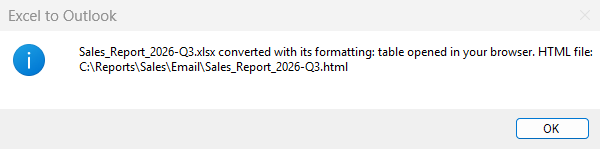
The message at the end of the quick try
The values to change are in the first region of Test (cyan):
| Variable | Value in the sample | What it is |
|---|---|---|
txt_WorkbookPath |
C:\Reports\Sales\Sales_Report_2026-Q3.xlsx |
The workbook to send: any .xlsx / .xlsm, opened read-only, never modified |
txt_SheetName |
(empty) | Worksheet name; empty = the sheet that was active when the workbook was saved |
txt_RangeAddress |
(empty) | Range to export in Excel notation (A1:H18); empty = the used range of the sheet |
txt_OutputFolder |
C:\Reports\Sales\Email |
Folder that receives the HTML file (it opens in your browser at the end) |
bool_SendToOutlook |
False |
False = only the HTML file, opened in the browser (needs Excel only); True = also an email through the classic Outlook |
txt_OutlookAccount |
your.name@example.com |
Used when bool_SendToOutlook is True: Outlook account that sends (as listed in Outlook), recipients, subject, text above the table (HTML allowed) |
txt_EmailTo |
sales-managers@example.com |
Used when bool_SendToOutlook is True: Outlook account that sends (as listed in Outlook), recipients, subject, text above the table (HTML allowed) |
txt_EmailSubject |
Sales report Q3 2026 - straight from Excel |
Used when bool_SendToOutlook is True: Outlook account that sends (as listed in Outlook), recipients, subject, text above the table (HTML allowed) |
txt_EmailIntro |
Hello,<br><br>Please find below the sales report of the quarter, exactly as it looks in the workbook. |
Used when bool_SendToOutlook is True: Outlook account that sends (as listed in Outlook), recipients, subject, text above the table (HTML allowed) |
bool_DraftOnly |
True |
True = the email is saved in the Drafts folder and opened on screen (demo: nothing leaves the mailbox); False = it is sent |
Note
Set bool_SendToOutlook to True in the first region to also get the table in an Outlook email, saved as a draft and opened on screen. It needs the classic Outlook with a profile.
2. Reusable version
2.1 Prepare the files
The same files as in 1.1.
2.2 Create the flow and its subflows
+ New flow, name Excel to HTML, Create.
Then for each subflow: Subflows above the canvas › New, name, scope, Save.
| Subflow name | Scope | Role |
|---|---|---|
Convert_Excel_To_Html |
Local | The reusable part: 3 values in, the HTML table and 7 details out. Never stops the flow. |
Warning
The scope Local is easily lost while you type the name. Check it just before Save.
Pictures: Create a subflow.
2.3 Create the input and output variables
They must exist before the paste: the code uses them. Type the names exactly.
In Convert_Excel_To_Html: Variables › Local › + › Input or Output, the name only.
in_loc_txt_WorkbookPath
in_loc_txt_SheetName
in_loc_txt_RangeAddress
out_loc_txt_Html
out_loc_bool_Ok
out_loc_txt_Error
out_loc_txt_SheetName
out_loc_txt_RangeAddress
out_loc_num_RowCount
out_loc_num_ColumnCount
out_loc_num_ElapsedMs
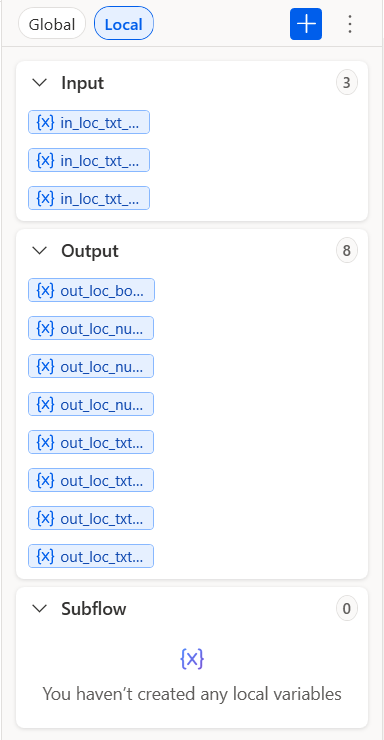
The function's Variables pane, section Local: Input 3, Output 8
Descriptions and examples: the contract. Pictures: Create input and output variables.
2.4 Paste the code
Open the tab of the subflow, click its empty canvas, Ctrl+V.
Main ← flow/1-Main.txt. Check: 34 lines, Errors pane empty.
The code (34 lines)
# subflow: Main (global)
# Excel to Outlook - example call of the local function Convert_Excel_To_Html: the Excel information goes in
# (workbook, sheet, range), the HTML table and its details come out (flag, error, sheet and range used, rows, columns, time).
# Main shows the reusable way: call the function, test its flag, use its outputs. The one-block demo that ends in an
# Outlook draft is the global subflow Test, autonomous: run it alone with 'Run from here' on its first action.
# Regions: cyan = the values to change, purple = the processing, red = the guards, gold = the output.
@@regionColor: '#57FFE1'
**REGION 1. Variables: example inputs of the function, output folder
# Any .xlsx / .xlsm; the sheet by name (empty = the sheet active when the workbook was saved); the range in Excel notation (empty = the used range)
SET txt_WorkbookPath TO $'''C:\\Reports\\Sales\\Sales_Report_2026-Q3.xlsx'''
SET txt_SheetName TO $'''Q3 Sales'''
SET txt_RangeAddress TO $'''A1:H19'''
SET txt_OutputFolder TO $'''C:\\Reports\\Sales\\Email'''
**ENDREGION
@@regionColor: '#D9C3E9'
**REGION 2. Call the function: Excel information in, HTML table and details out
CALL Convert_Excel_To_Html in_loc_txt_WorkbookPath: txt_WorkbookPath in_loc_txt_SheetName: txt_SheetName in_loc_txt_RangeAddress: txt_RangeAddress out_loc_txt_Html=> txt_Html out_loc_bool_Ok=> bool_Ok out_loc_txt_Error=> txt_Error out_loc_txt_SheetName=> txt_UsedSheetName out_loc_txt_RangeAddress=> txt_UsedRangeAddress out_loc_num_RowCount=> num_RowCount out_loc_num_ColumnCount=> num_ColumnCount out_loc_num_ElapsedMs=> num_ElapsedMs
**ENDREGION
@@regionColor: '#F4B6B6'
**REGION 3. Guards: the function never throws, it returns a flag and a message; the output folder is created when missing
IF bool_Ok = False THEN
    Display.ShowMessageDialog.ShowMessage Title: $'''Excel to Outlook''' Message: $'''Conversion failed: %txt_Error%''' Icon: Display.Icon.ErrorIcon Buttons: Display.Buttons.OK DefaultButton: Display.DefaultButton.Button1 IsTopMost: True ButtonPressed=> _txt_ButtonPressed
    EXIT Code: 1
END
IF (Folder.IfFolderExists.DoesNotExist Path: txt_OutputFolder) THEN
    # Create folder needs an existing parent: split the path into parent + name first
    File.GetPathPart File: txt_OutputFolder Directory=> fold_OutputParent FileName=> txt_OutputFolderName
    Folder.Create FolderPath: fold_OutputParent FolderName: txt_OutputFolderName Folder=> _fold_Output
END
**ENDREGION
@@regionColor: '#FFD966'
**REGION 4. Output: the HTML table in a file, the details on screen
File.GetPathPart File: txt_WorkbookPath FileNameWithoutExtension=> txt_WorkbookBaseName
SET txt_HtmlFile TO $'''%txt_OutputFolder%\\%txt_WorkbookBaseName%_table.html'''
File.WriteText File: txt_HtmlFile TextToWrite: txt_Html AppendNewLine: False IfFileExists: File.IfFileExists.Overwrite Encoding: File.FileEncoding.UTF8
SET num_HtmlLength TO txt_Html.Length
Display.ShowMessageDialog.ShowMessage Title: $'''Excel to Outlook''' Message: $'''Sheet %txt_UsedSheetName%, range %txt_UsedRangeAddress%: %num_RowCount% rows x %num_ColumnCount% columns converted in %num_ElapsedMs% ms. HTML table of %num_HtmlLength% characters written to %txt_HtmlFile%''' Icon: Display.Icon.Information Buttons: Display.Buttons.OK DefaultButton: Display.DefaultButton.Button1 IsTopMost: True ButtonPressed=> _txt_ButtonPressed
**ENDREGION
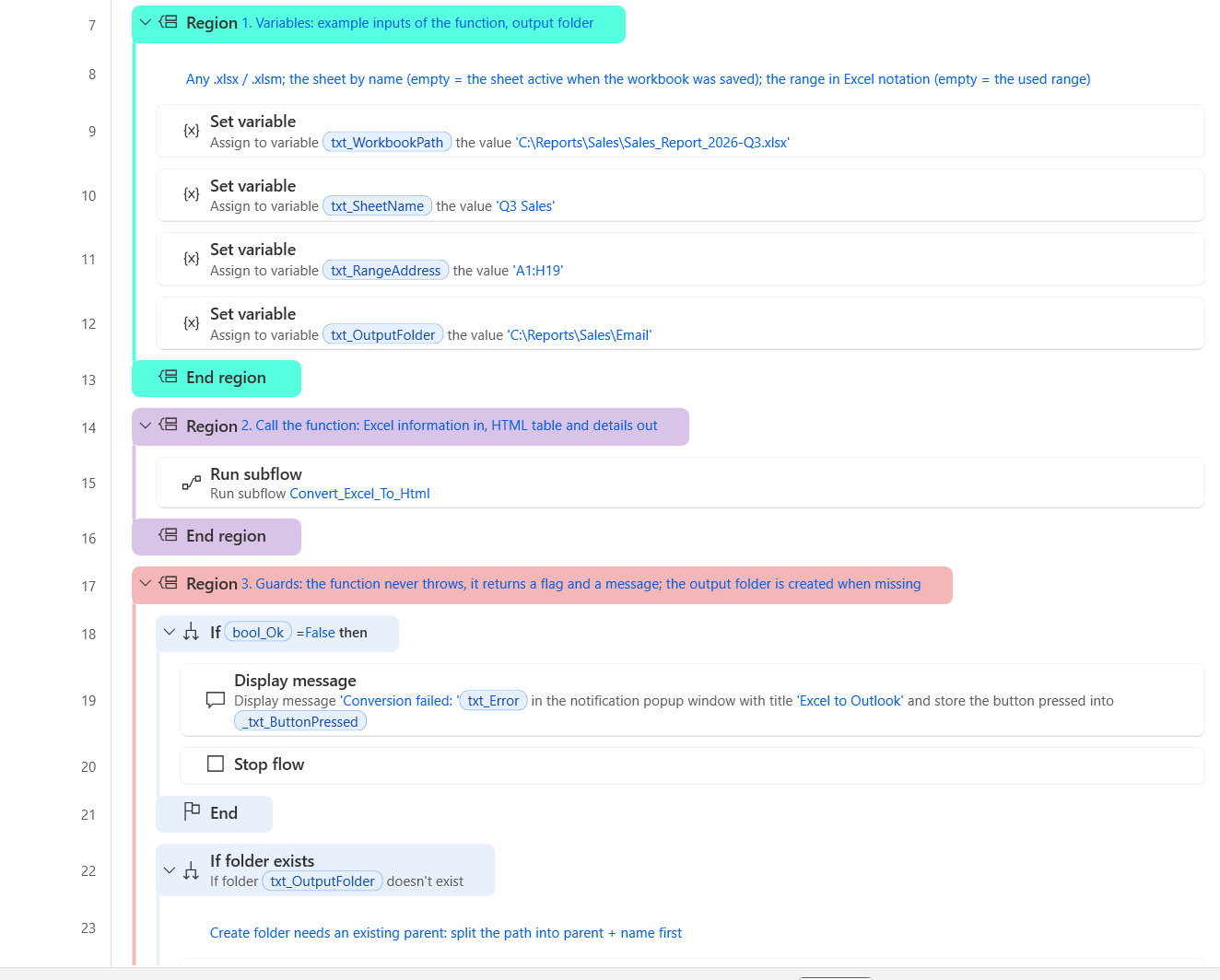
Main after the paste
Convert_Excel_To_Html ← flow/2-Convert_Excel_To_Html.txt. Check: 44 lines, Errors pane empty.
The code (44 lines)
# local subflow: Convert_Excel_To_Html
# inputs: in_loc_txt_WorkbookPath, in_loc_txt_SheetName, in_loc_txt_RangeAddress
# outputs: out_loc_txt_Html, out_loc_bool_Ok, out_loc_txt_Error, out_loc_txt_SheetName, out_loc_txt_RangeAddress, out_loc_num_RowCount, out_loc_num_ColumnCount, out_loc_num_ElapsedMs
# Turns one Excel range into an HTML table that keeps the look of Excel, with inline CSS only (Outlook desktop, web, mobile).
# in_loc_txt_SheetName empty = the sheet active when the workbook was saved; in_loc_txt_RangeAddress empty = the used range.
# Never throws: out_loc_bool_Ok False and out_loc_txt_Error say what went wrong (workbook missing, sheet or range unknown, Excel absent).
# Excel publishes the range with its own HTML exporter; the script copies the CSS classes inline, drops the mso-* rules, the hidden
# rows and columns, encodes every non-ASCII character as an entity, and reports the details on the first line of its output.
@@regionColor: '#57FFE1'
**REGION 1. Outputs initialised: every path leaves them defined
SET out_loc_txt_Html TO $''''''
SET out_loc_bool_Ok TO False
SET out_loc_txt_Error TO $''''''
SET out_loc_txt_SheetName TO in_loc_txt_SheetName
SET out_loc_txt_RangeAddress TO in_loc_txt_RangeAddress
SET out_loc_num_RowCount TO 0
SET out_loc_num_ColumnCount TO 0
SET out_loc_num_ElapsedMs TO 0
**ENDREGION
@@regionColor: '#F4B6B6'
**REGION 2. Precondition: a missing workbook is reported, never thrown
IF (File.IfFile.DoesNotExist File: in_loc_txt_WorkbookPath) THEN
SET out_loc_txt_Error TO $'''Workbook not found: %in_loc_txt_WorkbookPath%'''
EXIT FUNCTION
END
**ENDREGION
@@regionColor: '#D9C3E9'
**REGION 3. Convert: Excel publishes the range, the script inlines the CSS; the first line of the output carries the details
Scripting.RunPowershellScript.RunScript Script: $'''# Excel to HTML - turns an Excel range into an HTML table that keeps the look of Excel and survives Outlook.
# How: Excel itself publishes the range as HTML (PublishObjects, its \'Save as web page\' engine: one call, a few
# hundred milliseconds whatever the size), then this script rewrites that HTML for email: the CSS classes of the
# <style> block are copied INLINE on every cell (Outlook on the web, mobile and Gmail drop most <style> rules),
# the mso-* rules, hidden rows and hidden columns are removed, the table is rebuilt clean, every non-ASCII
# character becomes a numeric entity so that encodings never matter.
# Kept: fills, fonts (name, size, colour, bold, italic, underline, strikethrough, rich text runs), alignment, wrap,
# indent, borders, merged cells, column widths, row heights, number formats, conditional formatting, hyperlinks.
# Not kept: images, charts, shapes, icon sets, data bars, comments (no HTML equivalent in an email).
# Output: the first line carries the details, tab-separated:
# excel-to-html <TAB> sheet <TAB> range <TAB> rows <TAB> columns <TAB> milliseconds; the table follows.
# ASCII only on purpose: the same text lives inside a Robin literal and inside a PowerShell action.
# --- parameters : the inputs of the local function Convert_Excel_To_Html ---
$WorkbookPath = \'%in_loc_txt_WorkbookPath%\'
$SheetName = \'%in_loc_txt_SheetName%\'
$RangeAddress = \'%in_loc_txt_RangeAddress%\'
$OutputPath = \'\'
$DetailsLine = \'yes\'
# --- end parameters ---
$ErrorActionPreference = \'Stop\'
$clock = [System.Diagnostics.Stopwatch]::StartNew()
function Split-Declarations([string]$block) {
# \'color:black; mso-number-format:\"0\\.0%%\"; border:.5pt solid #BFBFBF\' -> ordered map, quote-aware, mso-* dropped
$map = New-Object System.Collections.Specialized.OrderedDictionary
if ([string]::IsNullOrEmpty($block)) { return $map }
$parts = New-Object System.Collections.ArrayList
$sb = New-Object System.Text.StringBuilder
$inQuote = $false
foreach ($ch in $block.ToCharArray()) {
if ($ch -eq \'\"\') { $inQuote = -not $inQuote }
if ($ch -eq \';\' -and -not $inQuote) { [void]$parts.Add($sb.ToString()); [void]$sb.Clear() } else { [void]$sb.Append($ch) }
}
[void]$parts.Add($sb.ToString())
foreach ($p in $parts) {
$idx = $p.IndexOf(\':\')
if ($idx -lt 1) { continue }
$k = $p.Substring(0, $idx).Trim().ToLowerInvariant()
$v = $p.Substring($idx + 1).Trim()
if ($k -eq \'\' -or $v -eq \'\' -or $k.StartsWith(\'mso-\')) { continue }
$map[$k] = $v
}
return $map
}
function Merge-Into($target, $source) {
if ($source -ne $null) { foreach ($k in @($source.Keys)) { $target[$k] = $source[$k] } }
}
function Parse-Attributes([string]$attrText) {
# class=xl65 width=103 style=\'height:15.0pt\' x:num=\"182500\" -> hashtable (names lower-cased)
$map = @{}
$pattern = \'([A-Za-z][\\w:-]*)\\s*=\\s*(?:\"([^\"]*)\"|\' + \"\'([^\']*)\'\" + \'|([^\\s>]+))\'
foreach ($m in [regex]::Matches($attrText, $pattern)) {
$name = $m.Groups[1].Value.ToLowerInvariant()
$val = $m.Groups[2].Value
if ($m.Groups[3].Success) { $val = $m.Groups[3].Value }
if ($m.Groups[4].Success) { $val = $m.Groups[4].Value }
$map[$name] = $val
}
return $map
}
function Inline-Style($rules, [hashtable]$attrs, [string]$tag) {
# tag rule, then the class rules, then the inline style: the later wins, like the cascade did
$style = New-Object System.Collections.Specialized.OrderedDictionary
if ($rules.ContainsKey($tag)) { Merge-Into $style $rules[$tag] }
if ($attrs.ContainsKey(\'class\')) {
foreach ($cls in ($attrs[\'class\'] -split \'\\s+\')) {
$key = \'.\' + $cls
if ($rules.ContainsKey($key)) { Merge-Into $style $rules[$key] }
}
}
if ($attrs.ContainsKey(\'style\')) { Merge-Into $style (Split-Declarations $attrs[\'style\']) }
$out = New-Object System.Text.StringBuilder
foreach ($k in @($style.Keys)) {
$v = [string]$style[$k]
if ($k -eq \'text-align\' -and $v -eq \'general\') { continue }
if ($k -eq \'display\') { continue }
$v = $v.Replace(\'windowtext\', \'#000000\').Replace(\'\"\', \"\'\")
[void]$out.Append($k + \':\' + $v + \';\')
}
return $out.ToString()
}
function Inline-Content($rules, [string]$inner) {
# rich text runs (<font class=font5>), spans and links inside a cell get their style inline too
$sbEval = {
param($m)
$tag = $m.Groups[1].Value.ToLowerInvariant()
$a = Parse-Attributes $m.Groups[2].Value
$style = Inline-Style $rules $a $tag
$keep = \'\'
if ($a.ContainsKey(\'href\')) { $keep += \' href=\"\' + $a[\'href\'] + \'\"\' }
if ($tag -eq \'font\') { $tag = \'span\' }
if ($style -ne \'\') { return (\'<\' + $tag + $keep + \' style=\"\' + $style + \'\">\') }
return (\'<\' + $tag + $keep + \'>\')
}.GetNewClosure()
$evaluator = [System.Text.RegularExpressions.MatchEvaluator]$sbEval
$s = [regex]::Replace($inner, \'(?is)<(font|span|a)\\b([^>]*)>\', $evaluator)
$s = [regex]::Replace($s, \'(?i)</font>\', \'</span>\')
$s = [regex]::Replace($s, \'\\s*\\r?\\n\\s*\', \' \')
return $s.Trim()
}
function Encode-NonAscii([string]$s) {
$sb = New-Object System.Text.StringBuilder
$i = 0
while ($i -lt $s.Length) {
$ch = $s[$i]
if ([char]::IsHighSurrogate($ch) -and ($i + 1) -lt $s.Length) {
[void]$sb.Append(\'&#\' + [char]::ConvertToUtf32($s, $i) + \';\')
$i += 2
continue
}
$code = [int]$ch
if ($code -gt 126) { [void]$sb.Append(\'&#\' + $code + \';\') } else { [void]$sb.Append($ch) }
$i++
}
return $sb.ToString()
}
$excel = $null
$wb = $null
$tmp = \'\'
try {
if (-not (Test-Path -LiteralPath $WorkbookPath)) { throw (\'Workbook not found: \' + $WorkbookPath) }
# 1. Excel publishes the range: its own exporter, one call, conditional formatting and number formats resolved
$excel = New-Object -ComObject Excel.Application
$excel.Visible = $false
$excel.DisplayAlerts = $false
$wb = $excel.Workbooks.Open($WorkbookPath, 0, $true)
if ($SheetName -ne \'\') {
try { $ws = $wb.Worksheets.Item($SheetName) } catch { throw (\'Worksheet not found: \' + $SheetName) }
} else { $ws = $wb.ActiveSheet }
if ($RangeAddress -ne \'\') {
try { $rng = $ws.Range($RangeAddress) } catch { throw (\'Range not valid: \' + $RangeAddress) }
} else { $rng = $ws.UsedRange }
$address = [string]$rng.Address($false, $false)
$sheetUsed = [string]$ws.Name
$base = \'excel-to-html-\' + [guid]::NewGuid().ToString(\'N\')
$tmp = Join-Path $env:TEMP ($base + \'.htm\')
$po = $wb.PublishObjects.Add(4, $tmp, $ws.Name, $address, 0, \'ExcelToOutlook\', \'\')
$po.Publish($true)
$wb.Close($false)
$wb = $null
$bytes = [System.IO.File]::ReadAllBytes($tmp)
$head = [System.Text.Encoding]::ASCII.GetString($bytes, 0, [Math]::Min(4096, $bytes.Length))
$encoding = [System.Text.Encoding]::GetEncoding(1252)
if ($head -match \'(?i)charset=([\\w-]+)\') { try { $encoding = [System.Text.Encoding]::GetEncoding($Matches[1]) } catch { } }
$html = $encoding.GetString($bytes)
# 2. The CSS rules of the <style> block, selector by selector (td, .xl65 ...), mso-* already dropped
$rules = @{}
$mStyle = [regex]::Match($html, \'(?is)<style[^>]*>(.*?)</style>\')
if ($mStyle.Success) {
$styleBlock = $mStyle.Groups[1].Value.Replace(\'<!--\', \' \').Replace(\'-->\', \' \')
foreach ($m in [regex]::Matches($styleBlock, \'(?s)([^{}]+)\\{([^{}]*)\\}\')) {
$decl = Split-Declarations $m.Groups[2].Value
foreach ($sel in ($m.Groups[1].Value -split \',\')) {
$s = $sel.Trim()
if ($s -eq \'\') { continue }
if (-not $rules.ContainsKey($s)) { $rules[$s] = New-Object System.Collections.Specialized.OrderedDictionary }
Merge-Into $rules[$s] $decl
}
}
}
# 3. The table alone, without the Office conditional comments
$mTable = [regex]::Match($html, \'(?is)<table\\b[^>]*>.*?</table>\')
if (-not $mTable.Success) { throw \'Excel produced no table for this range\' }
$table = $mTable.Value
$table = [regex]::Replace($table, \'(?is)<!\\[if\\s+supportMisalignedColumns\\]>.*?<!\\[endif\\]>\', \'\')
$table = [regex]::Replace($table, \'(?s)<!--.*?-->\', \'\')
$table = [regex]::Replace($table, \'(?s)<!\\[(?:if|endif)[^\\]]*\\]>\', \'\')
# 4. Columns: width and hidden state (Excel writes a hidden column as width=0 / display:none)
$colHidden = New-Object System.Collections.ArrayList
$colWidth = New-Object System.Collections.ArrayList
foreach ($m in [regex]::Matches($table, \'(?i)<col\\b([^>]*)>\')) {
$a = Parse-Attributes $m.Groups[1].Value
$span = 1
if ($a.ContainsKey(\'span\')) { $span = [int]$a[\'span\'] }
$w = 0
if ($a.ContainsKey(\'width\')) { $w = [int]$a[\'width\'] }
$hidden = ($w -le 0) -or ($a.ContainsKey(\'style\') -and $a[\'style\'] -match \'display\\s*:\\s*none\')
for ($i = 0; $i -lt $span; $i++) { [void]$colHidden.Add($hidden); [void]$colWidth.Add($w) }
}
$totalWidth = 0
$colVisible = 0
for ($i = 0; $i -lt $colWidth.Count; $i++) { if (-not $colHidden[$i]) { $totalWidth += $colWidth[$i]; $colVisible++ } }
$rowCount = 0
# 5. Rows and cells: classes inlined, hidden rows and columns skipped, spans kept
$out = New-Object System.Text.StringBuilder
[void]$out.Append(\'<table border=\"0\" cellpadding=\"0\" cellspacing=\"0\" width=\"\' + $totalWidth + \'\" style=\"border-collapse:collapse;table-layout:fixed;width:\' + $totalWidth + \'px;mso-table-lspace:0pt;mso-table-rspace:0pt;\">\')
for ($i = 0; $i -lt $colWidth.Count; $i++) { if (-not $colHidden[$i]) { [void]$out.Append(\'<col width=\"\' + $colWidth[$i] + \'\">\') } }
[void]$out.AppendLine()
$rowspanLeft = New-Object int[] 1024
foreach ($mr in [regex]::Matches($table, \'(?is)<tr\\b([^>]*)>(.*?)</tr>\')) {
$ra = Parse-Attributes $mr.Groups[1].Value
$rowHidden = ($ra.ContainsKey(\'style\') -and $ra[\'style\'] -match \'display\\s*:\\s*none\')
$rowStyle = \'\'
if ($ra.ContainsKey(\'style\')) {
$rd = Split-Declarations $ra[\'style\']
if ($rd.Contains(\'height\')) { $rowStyle = \'height:\' + $rd[\'height\'] + \';\' }
}
$rowAttrs = \'\'
if ($ra.ContainsKey(\'height\')) { $rowAttrs = \' height=\"\' + $ra[\'height\'] + \'\"\' }
$pos = 0
$cells = New-Object System.Text.StringBuilder
foreach ($mc in [regex]::Matches($mr.Groups[2].Value, \'(?is)<td\\b([^>]*)>(.*?)</td>\')) {
while ($pos -lt $rowspanLeft.Length -and $rowspanLeft[$pos] -gt 0) { $pos++ }
$ca = Parse-Attributes $mc.Groups[1].Value
$colspan = 1
if ($ca.ContainsKey(\'colspan\')) { $colspan = [int]$ca[\'colspan\'] }
$rowspan = 1
if ($ca.ContainsKey(\'rowspan\')) { $rowspan = [int]$ca[\'rowspan\'] }
$visible = 0
$wsum = 0
for ($i = $pos; $i -lt ($pos + $colspan); $i++) {
if ($i -lt $colHidden.Count) { if (-not $colHidden[$i]) { $visible++; $wsum += $colWidth[$i] } } else { $visible++ }
}
if ($rowspan -gt 1) { for ($i = $pos; $i -lt ($pos + $colspan) -and $i -lt $rowspanLeft.Length; $i++) { $rowspanLeft[$i] = $rowspan } }
$pos += $colspan
if ($visible -eq 0 -or $rowHidden) { continue }
$attrText = \'\'
if ($visible -gt 1) { $attrText += \' colspan=\"\' + $visible + \'\"\' }
if ($rowspan -gt 1) { $attrText += \' rowspan=\"\' + $rowspan + \'\"\' }
if ($wsum -gt 0) { $attrText += \' width=\"\' + $wsum + \'\"\' }
if ($ca.ContainsKey(\'height\')) { $attrText += \' height=\"\' + $ca[\'height\'] + \'\"\' }
if ($ca.ContainsKey(\'align\')) { $attrText += \' align=\"\' + $ca[\'align\'] + \'\"\' }
if ($ca.ContainsKey(\'valign\')) { $attrText += \' valign=\"\' + $ca[\'valign\'] + \'\"\' }
$style = Inline-Style $rules $ca \'td\'
$content = Inline-Content $rules $mc.Groups[2].Value
if ($content -eq \'\') { $content = \' \' }
[void]$cells.Append(\'<td\' + $attrText + \' style=\"\' + $style + \'\">\' + $content + \'</td>\')
}
for ($i = 0; $i -lt $rowspanLeft.Length; $i++) { if ($rowspanLeft[$i] -gt 0) { $rowspanLeft[$i]-- } }
if ($rowHidden) { continue }
[void]$out.Append(\'<tr\' + $rowAttrs + \' style=\"\' + $rowStyle + \'\">\' + $cells.ToString() + \'</tr>\')
[void]$out.AppendLine()
$rowCount++
}
[void]$out.Append(\'</table>\')
$result = Encode-NonAscii $out.ToString()
if ($OutputPath -ne \'\') { [System.IO.File]::WriteAllText($OutputPath, $result, [System.Text.Encoding]::ASCII) }
if ($DetailsLine -ne \'\') {
$tab = [string][char]9
Write-Output (\'excel-to-html\' + $tab + $sheetUsed + $tab + $address + $tab + $rowCount + $tab + $colVisible + $tab + $clock.ElapsedMilliseconds)
}
Write-Output $result
}
catch {
[Console]::Error.WriteLine(\'excel-to-html : \' + $_.Exception.Message)
}
finally {
if ($wb -ne $null) { $wb.Close($false) }
if ($excel -ne $null) {
$excel.Quit()
[void][System.Runtime.InteropServices.Marshal]::ReleaseComObject($excel)
}
[GC]::Collect()
[GC]::WaitForPendingFinalizers()
if ($tmp -ne \'\' -and (Test-Path -LiteralPath $tmp)) { Remove-Item -LiteralPath $tmp -Force -ErrorAction SilentlyContinue }
if ($tmp -ne \'\') {
$stem = [System.IO.Path]::GetFileNameWithoutExtension($tmp)
Get-ChildItem -LiteralPath $env:TEMP -Directory -Filter ($stem + \'_*\') -ErrorAction SilentlyContinue | Remove-Item -Recurse -Force -ErrorAction SilentlyContinue
}
}''' ScriptOutput=> txt_ScriptOutput ScriptError=> txt_ScriptError
# The action never fails by itself: a script error only fills ScriptError
IF txt_ScriptError <> $'''''' THEN
Text.Trim Text: txt_ScriptError TrimOption: Text.TrimOption.Both TrimmedText=> out_loc_txt_Error
EXIT FUNCTION
END
**ENDREGION
@@regionColor: '#FFD966'
**REGION 4. Outputs: the details line (tab-separated: name, sheet, range, rows, columns, milliseconds), then the HTML table
Text.ParseText.RegexParseForFirstOccurrence Text: txt_ScriptOutput TextToFind: $'''^[^\\r\\n]*''' StartingPosition: 0 IgnoreCase: False Match=> txt_DetailsLine OccurrencePosition=> _num_DetailsPosition
Text.SplitText.Split Text: txt_DetailsLine StandardDelimiter: Text.StandardDelimiter.Tab DelimiterTimes: 1 Result=> lst_Details
Text.Replace.ReplaceTextWithRegex Text: txt_ScriptOutput TextToFind: $'''^[^\\r\\n]*\\r?\\n''' ReplaceWith: $'''''' IgnoreCase: False ActivateEscapeSequences: False Result=> txt_Html
Text.Trim Text: txt_Html TrimOption: Text.TrimOption.Both TrimmedText=> out_loc_txt_Html
SET out_loc_txt_SheetName TO lst_Details[1]
SET out_loc_txt_RangeAddress TO lst_Details[2]
Text.ToNumber Text: lst_Details[3] Number=> out_loc_num_RowCount
Text.ToNumber Text: lst_Details[4] Number=> out_loc_num_ColumnCount
Text.ToNumber Text: lst_Details[5] Number=> out_loc_num_ElapsedMs
SET out_loc_bool_Ok TO True
**ENDREGION
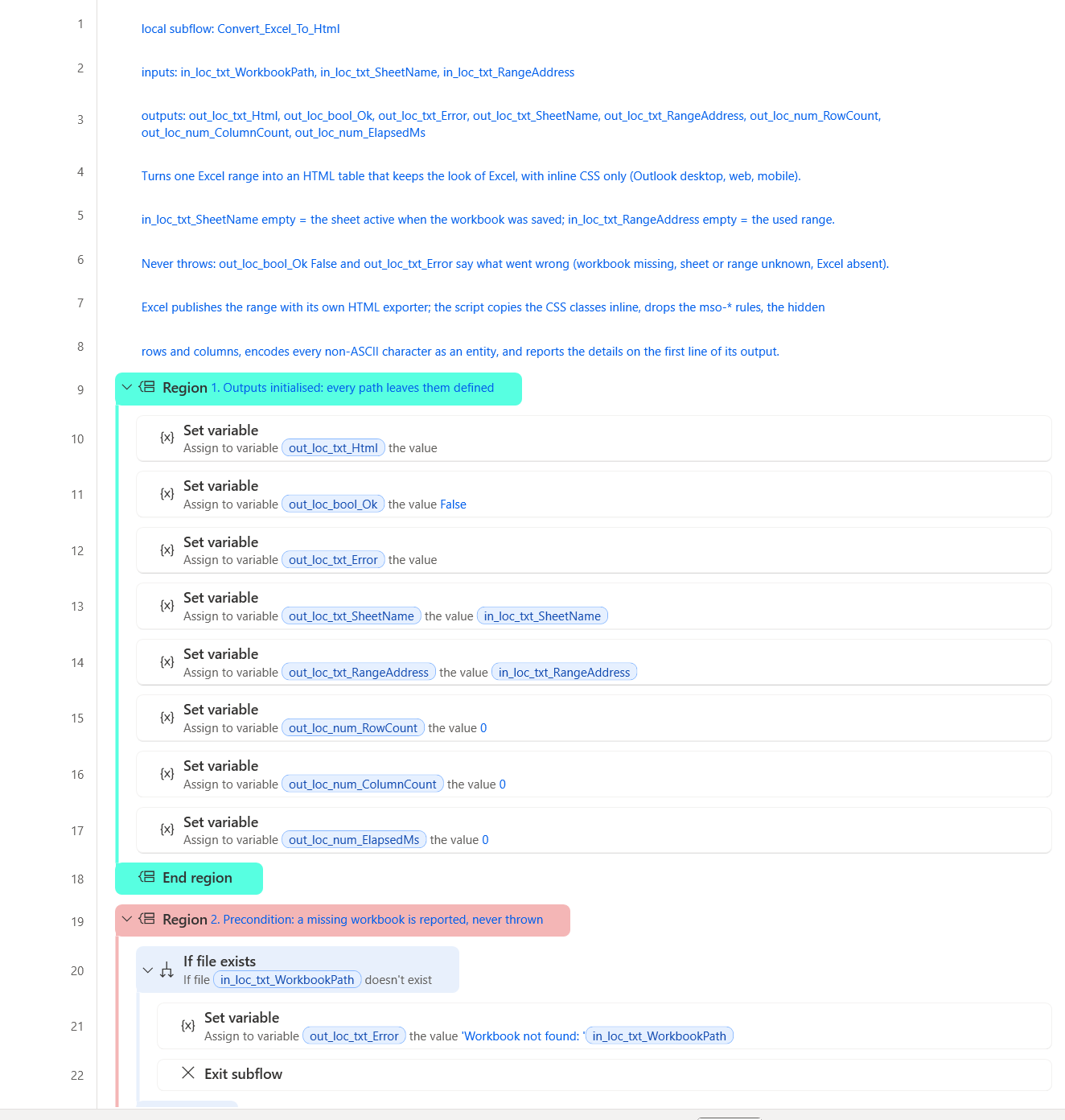
The top of the function after the paste
Optional: keep the quick try in the same flow, in a global subflow Test (flow/3-Test.txt).
2.5 Run and check
Tab Main, Run. Expected:
- A message: sheet, range, rows x columns, time, and the path of the HTML file.
- The file C:\Reports\Sales\Email\Sales_Report_2026-Q3_table.html, identical to expected/Sales_Report_2026-Q3_table.html.
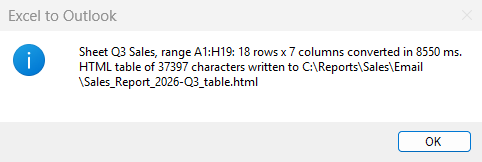
The message at the end of the run
2.6 Adapt it to your data
The values to change are in the first region of Main (cyan):
| Variable | Value in the sample | What it is |
|---|---|---|
txt_WorkbookPath |
C:\Reports\Sales\Sales_Report_2026-Q3.xlsx |
Any .xlsx / .xlsm; the sheet by name (empty = the sheet active when the workbook was saved); the range in Excel notation (empty = the used range) |
txt_SheetName |
Q3 Sales |
Any .xlsx / .xlsm; the sheet by name (empty = the sheet active when the workbook was saved); the range in Excel notation (empty = the used range) |
txt_RangeAddress |
A1:H19 |
Any .xlsx / .xlsm; the sheet by name (empty = the sheet active when the workbook was saved); the range in Excel notation (empty = the used range) |
txt_OutputFolder |
C:\Reports\Sales\Email |
Any .xlsx / .xlsm; the sheet by name (empty = the sheet active when the workbook was saved); the range in Excel notation (empty = the used range) |
3. In your own flow
- In your flow, create the local subflow
Convert_Excel_To_Htmland its variables, as in 2.2 and 2.3. - Paste
flow/2-Convert_Excel_To_Html.txtinto it. - Where you need it, add the CALL line and bind each output to a variable of your flow: the contract.
Troubleshooting
| Symptom | Fix |
|---|---|
| The Errors pane lists unknown variables after the paste into the function. | A contract name differs from the table of step 3. Fix the name in the Variables pane (capitals count); the errors disappear. |
| The new subflow appears under Global, not Local. | The scope is easily lost while typing the name. Delete the subflow and create it again; check Local just before Save. |
| Before the paste, the function shows warnings about outputs never set. | Normal. They disappear once the code of step 4 is pasted. |
| The message says "Conversion failed: Worksheet not found: ..." or "Range not valid: ...". | The sheet name must match the tab in Excel exactly, and the range must be an address such as A1:H19. Fix the SET lines of Main. |
Other cases: Troubleshooting a paste · report a problem.