Create input and output variables
Most variables are created by the paste itself. Only inputs and outputs must exist before: a sample lists them in a table, with the name to type, its type and an example value.
For a local subflow (a function)
- Open the tab of the subflow.
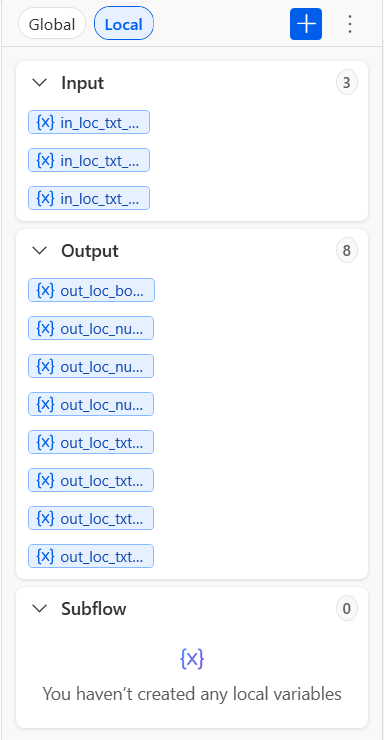
- In the Variables pane on the right, select Local, then the blue + › Input.
- Type the name only, select Save. Leave Mark as sensitive off.
- Same gesture with + › Output for each output.
| New input variable | New output variable |
|---|---|
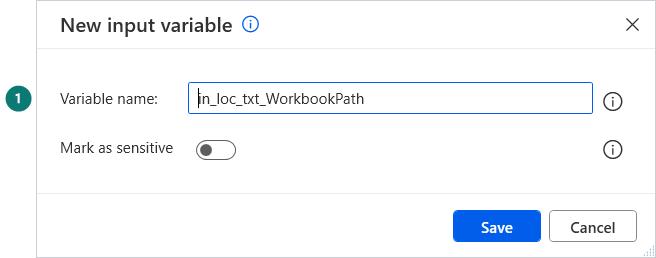 |
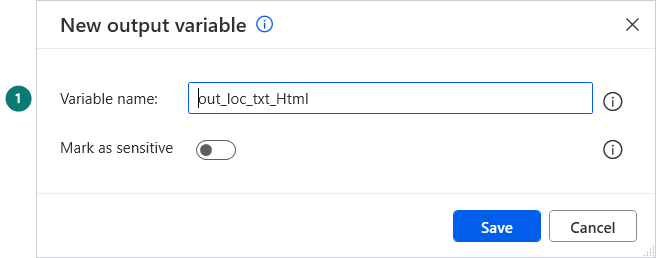 |
Check the counters of the pane: they must match the sample's table.
For the whole flow
Variables pane › Global › + › Input or Output. Fill Variable name, Data type and Default value from the sample's table.
Reading a name
in_loc_txt_WorkbookPath = an input, local to its subflow, of type text. The full key is in Start here.