Create a subflow
A subflow is a tab next to Main. A sample's code calls it by its name, so the name must exist before the paste.
- In the designer, open the Subflows list above the canvas, select New.
- Subflow name: type the name given by the sample, exactly (capitals and underscores included).
- Scope: Global unless the sample says Local. A local subflow is a function: it has its own inputs and outputs.
- Wait a second after typing the name, check that the scope is still the one you chose, select Save.
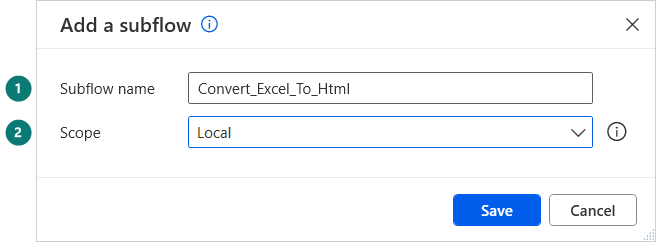
A new tab opens next to Main. Paste the subflow's code into that tab, not into Main.
Warning
A wrong name gives errors after the paste of Main (the CALL line cannot find the subflow). Rename the tab, the errors disappear.